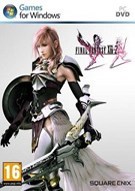
最终幻想13-2(ff13-2) 1号升级补丁DLC还原方法
第1页:
展开在steam上找到的dlc还原,可以将1号升级删除的dlc服装还原。压缩包内有说明
Final Fantasy XIII-2 - DLC Costume Patch文件地址:点击下载
For Japanese Voices:
日语版(英语版换了程序)
1. Copy "white_imgu.win32.bin" and "filelistc.win32.bin" from "FINAL FANTASY XIII-2\alba_data\sys\" to a safe directory.
1. 拷贝 "white_imgu.win32.bin" 和 "filelistc.win32.bin"从"FINAL FANTASY XIII-2\alba_data\sys\"到安全目录.
2. Run xdeltaUI.exe and select "filelistc.win32.bin" as the source file, then select "XIII-2 Outfit Fix - filelistc.win32.xdelta" as the patch file. Now select a directory for the patched file and name it "filelistc.win32.bin".
2. 运行 xdeltaUI.exe 并选择 "filelistc.win32.bin" 作为原始文件, 接着选择 "XIII-2 Outfit Fix - filelistc.win32.xdelta" 作为补丁文件. 接下来选择一个存放打过补丁文件的位置并命名为 "filelistc.win32.bin".
3. Run xdeltaUI.exe and select "white_imgc.win32.bin" as the source file, then select "XIII-2 Outfit Fix - white_imgc.win32.xdelta" as the patch file. Now select a directory for the patched file and name it "white_imgc.win32.bin".
3. 运行 xdeltaUI.exe 并选择 "white_imgc.win32.bin" 作为原始文件, 接着选择 "XIII-2 Outfit Fix - white_imgc.win32.xdelta" 作为补丁文件. 接下来选择一个存放打过补丁文件的位置并命名为 "white_imgc.win32.bin".
4. Copy your newly patched files into the "FINAL FANTASY XIII-2\alba_data\sys\" directory.
4. 拷贝两个打过补丁的文件到 "FINAL FANTASY XIII-2\alba_data\sys\"
5. Enjoy.
5. 开始玩
更多相关内容请关注:最终幻想13-2专区
责任编辑:Agent




- 《空之轨迹2nd》官方中文版下载
- 《鬼武者:剑之道》官方中文版下载
- 《黎明行者之血》官方中文版下载
- 《共鸣:瘟疫传说传承》官方中文版下载
- 《沉没之城2》官方中文版下载
- 《致命躯壳2》官方中文版下载
- 《龙之剑:觉醒》官方中文版下载
- 《轮回之兽》官方中文版下载
-
 《影之刃零》PS5商店页面更新!玩家的担忧打消了
 明星赛何润东成全场唯一手柄玩家 一旁陈赫都看呆了
-
 《真三国无双2》复刻花式迫害貂蝉 狂虐美人香消玉殒
 《三国战纪》PC版画面更新!国区139元 含西游释厄传
-
 中国电竞队唯一女选手!登上亚运电竞特刊
 23岁和40岁姐姐差在哪了?五种不同打码方式的囧图
- 明星赛何润东成全场唯一手柄玩家 一旁陈赫都看呆了
- “情趣钢琴”网红突然删光作品 告别性感路线要转型
- 日本小伙娶同学的妈妈 相差21岁 女方坦言房事吃力
- 著名音乐家刘欢病逝享年63岁 中国原创音乐重大损失
- 地平线6痛车大封禁引众怒 官方:能做但不能太色!
- B站百大游戏UP主突然复出 断更多年、热度爆炸
- 何润东成全场唯一手柄玩家:陈赫等众多明星看傻了
- 《真三国无双2》复刻花式迫害貂蝉 狂虐美人香消玉殒
- 《GTA6》实体收藏公布!售价约2600元不含游戏本体
- 《复联5》开场10分钟将让观众心脏骤停 试映反馈曝光